Churches and anything that runs weekly · A Squarespace plugin
Service Times
Your next service, your weekly times and a “We’re live” banner for Squarespace.
Show your next service with a countdown, your weekly times with the specials coming up, and a “We’re live” banner that only appears while you stream. You type your services once and it works out every week after that, daylight saving included.
- The next service, counting down
- A “We’re live” banner
- Christmas, Easter and weeks off
Live demo
Try it on a website that doesn’t exist.
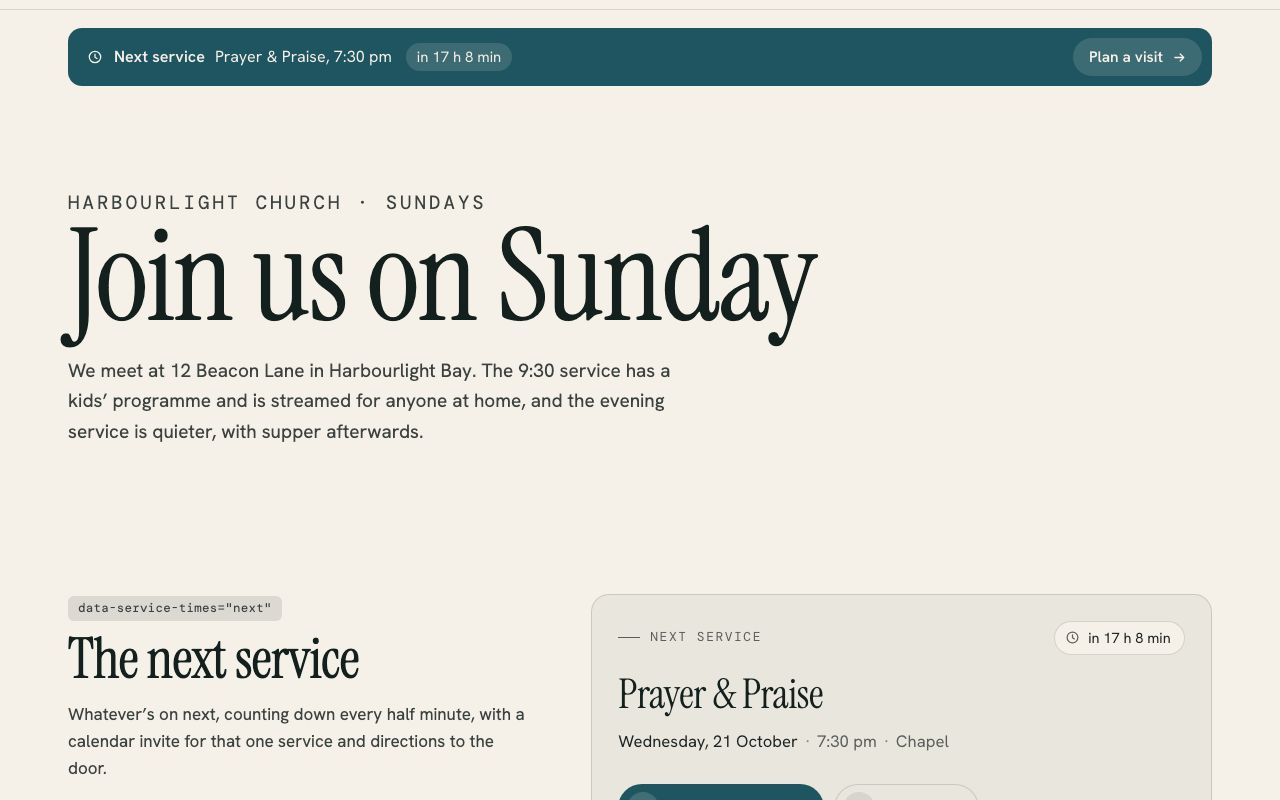
Harbourlight is made up, but the plugin is the real thing, running the way it would on your site. Switch the section colours to see it take on a different look.
On your site it picks up your own fonts, colours and button shape.
The next service, counting down
A card with whatever’s on next and a countdown that updates every half minute, from “in 2 days” to “starting now”. Visitors can add that one service to their calendar or get directions to the door.
A “We’re live” banner
It appears from ten minutes before a streamed service until a quarter of an hour after, links straight to your stream, and takes up no room the rest of the week. Add ?services=live to the address to see it any time.
Christmas, Easter and weeks off
Specials replace the usual services on their day, or only the ones you name. A skipped evening service over summer comes off the schedule, and both show in a Coming up list.
Right when the clocks change
Times are worked out in your own time zone, which it takes from Squarespace, so nothing moves in April or September. Someone looking from overseas sees “That’s 1:30 pm your time.”
Four ways to show it
A next-service card, a slim bar, the weekly schedule and the live banner. One set of settings can feed them all, on one page or right across your site.
Looks like your site
It takes your fonts, colours and button shape from the section it sits in. A setup check at ?services=check lists your next six services and explains anything that needs fixing.
Install
One paste and about ten minutes.
The download includes a step-by-step guide written for whoever looks after your website. Read it before you buy.
Add a Code block where you want your service times and paste in the one file from the download.
Type your services, specials and livestream link into the settings at the top of the paste.
Open the live page with ?services=check on the end to see your next six services and anything worth fixing.
What you need: A Squarespace plan that runs JavaScript (Core, Plus or Advanced, or Business and Commerce on older plans), on version 7.0 or 7.1.
Pricing
Paid for once, and yours to keep.
A single payment with every 1.x update included. The unlimited licence is for designers and agencies who build sites for clients.
Single site
$19USD, once
For one website.
- Use it on every page of one site
- All 1.x updates by email
- Install guide and email help
- Email me if it’s not working on your site
Unlimited sites
$49USD, once
For designers and agencies.
- Use it on as many sites as you build or look after
- Clients keep it when your work ends
- All 1.x updates by email
- Email me if it’s not working on a site
Want all 6? The whole library is US$129 for one site, which is US$85 less than buying them one at a time. Prefer it done for you? I’ll install and set up any plugin on your site for US$79, including tagging a first batch of content so it looks full on day one.
See the bundlePrices are in US dollars. Checkout shows your local currency and adds any tax that applies where you are.
Questions
The questions people ask first.
Does it connect to our calendar or our YouTube channel?
No, and it doesn’t need to. You type your services once and it works out every week from them. The live banner is timed from your schedule and links to your stream’s address, so it can’t tell whether the stream itself has started.
Is it only for church services?
No. It suits anything that happens at set times each week, such as classes, sessions or a weekly livestream. Every label can be changed, so “Next service” can read “Next class” or whatever you like.
How do I handle Christmas and Easter?
Add them as specials with a date and time. On that day the usual services are replaced, or only the ones you name. A skip takes a single service off for a week, with a note such as Summer break.
Do I need to change anything when the clocks change?
No. Services are worked out in your own time zone, so the 9:30 service stays at 9:30 through the April and September changes.
Can people add a service to their calendar?
Yes. The card offers an .ics file for Apple Calendar and Outlook, or a Google Calendar link, for that one service with its time, place and stream link.
Can it show on every page?
Yes. Put the settings once in Code Injection and add a short line wherever you want the bar, the card, the schedule or the live banner.
What if I make a mistake in the settings?
Curly quotes, comments and stray commas are tidied so the page still works. If something can’t be read, visitors just see “Service times are being updated” while the setup check lists the problem in plain English, down to the line.
More plugins